Download Voicelive 3 Free Edition MacOS

Download details

Download VoiceLive 3 Editor Free Version M Download VoiceLive 3 Editor Free Version MacOS HOT UPDATED
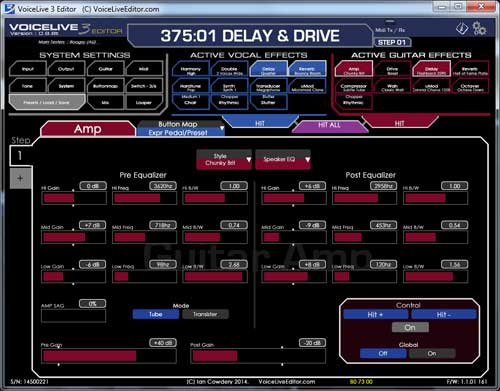

  
VoiceLive 3 / Extreme Editor
(MacOS Version)

Updated version for 10.15.2 Catalina
If you find problems or issues, please report them in the Forum.

Click Here for Forum

FREE Basic Editor by
VOICELIVEEDITOR.COM

amp

Firmware Version Supported

1.1.01 161
1.2.01 175
1.2.02 187
2.0.01 326
2.1.00 350
2.1.01 355
2.2.00 366
2.3.07 379
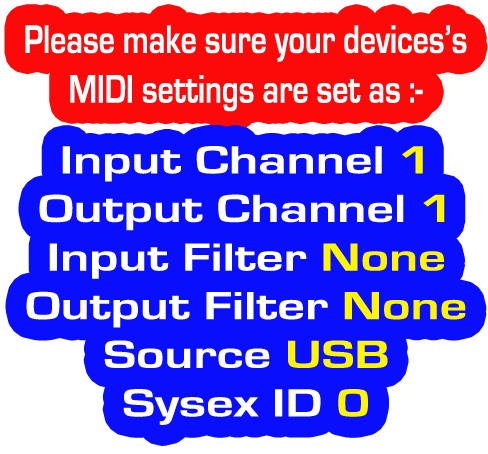
midi settings


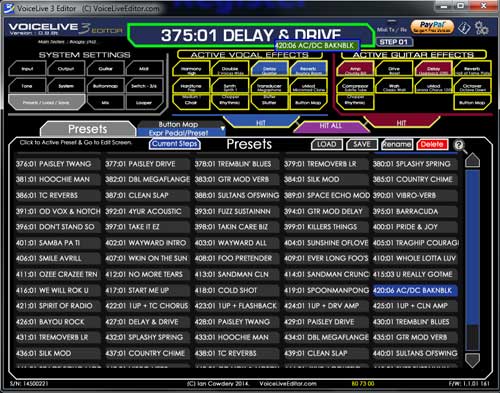
Any Adjustments in the Editor are immediately
in effect on the VoiceLive 3.

Any adjustment you make on the VoiceLive 3
are duplicated on the editor.

You can change presets on the
VoiceLive 3, and immediately

edit the paramaters for that preset with the Editor.

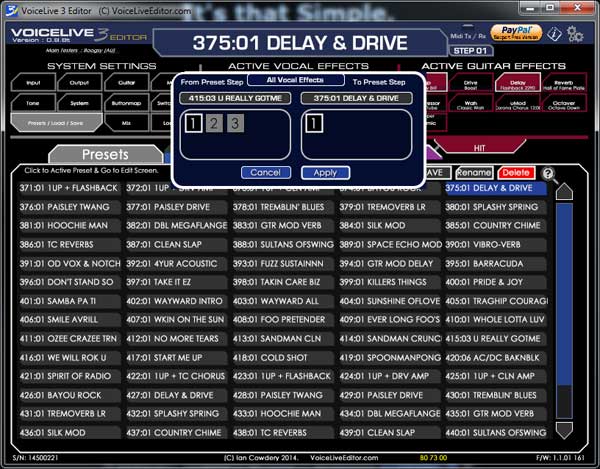
You can copy steps from other presets
into the preset your editing.
You can copy either an individual effect,
or entire vocal/guitar from within
 a preset to your current preset.
making Preset Designing a Breeze.

Plus you can adjust the Genre TAGS
of your presets, to allow you to create
a pseudo setlist by filtering by Genre on
your VoiceLive 3 when using Live


It's that Simple.

Register

then

Download the Editor


A Couple of Screenshot below

dragdrop
steps
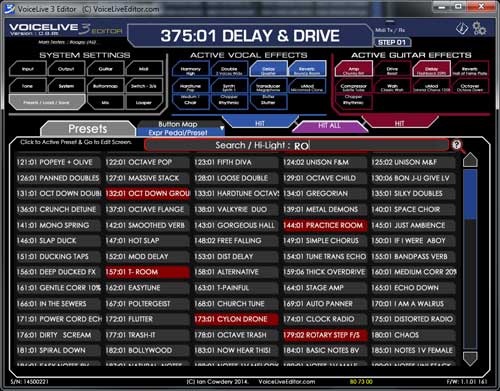
search
If you find the Free Version
Useful, please Consider
Making a Donation.

▼ How to open apps not from Mac App Store

macOS Setup & Authorization

Universal fix for Intel and Apple Silicon (M1, M2, M3, M4) Macs.

STEP 1: Rename & Move

1. Name the app exactly: VL3 Editor Free.app
2. Move it into your /Applications folder.

Step 2: Run the Authorization

Open Terminal (Command + Space, type "Terminal").

Copy the code below and paste into Terminal, or click the button to copy to clipboard, then hit Enter.

APP_NAME="VL3 Editor Free.app"; APP_PATH="/Applications/$APP_NAME"; if [ -d "$APP_PATH" ]; then echo "Found $APP_NAME. Applying fixes..."; echo "1/2: Applying macOS Standard Fix..."; sudo xattr -rd com.apple.quarantine "$APP_PATH" && echo "2/2: Applying Apple Silicon (M1-M4) Fix..."; sudo codesign --force --deep --sign - "$APP_PATH" && echo "DONE! You can now open the Application."; else echo "ERROR: $APP_NAME not found in /Applications!"; echo "Please rename/move the app and try again."; fi
Step 3: Enter Password

Terminal will ask for your Mac password. Type it and hit Enter.

(Note: Characters stay invisible while you type)

Information
Created 2016-09-28
Changed 2026-03-26
Version 1.9.2x
Size 7.32 MB
Created by Ian Cowdery
Changed by Super User
Downloads 5,521
License Commercial license
Price FREE


All updates are FREE.

You just install the new version over your existing installation.

EU e-Privacy Directive